
If you want to find out about six essential apps for night (and day) photography, you've come to the right place. Whether you have iOS or Android, these apps will greatly enhance your photography. The sixth one is surely one that doesn't make it on many photography app lists!
Clear Outside
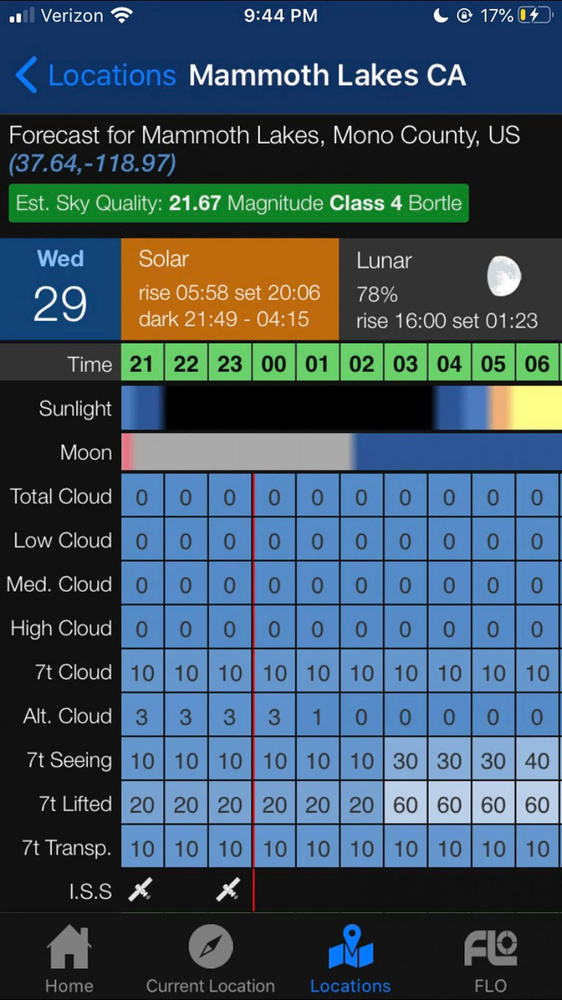
Clear Outside is the app I use most for night or day photography. It provides information for cloud cover. This provides information for low, medium, and high clouds. If you're a landscape photographer, you know how incredibly useful this information alone can be. Most apps simply say "cloudy," "clear," or "partially cloudy."
The app also provides darkness conditions, the rise of the sun and moon, moon phase, fog, rain, temperature, wind, humidity, and more.
When I teach my night photography workshops, this is typically the first app I mention. It's easy to understand and provides information clearly and succinctly.
As a bonus, you can save your locations. As a bonus, they also have a website that you can use for this very same thing. Learn more at clearoutside.com.
MyRadar
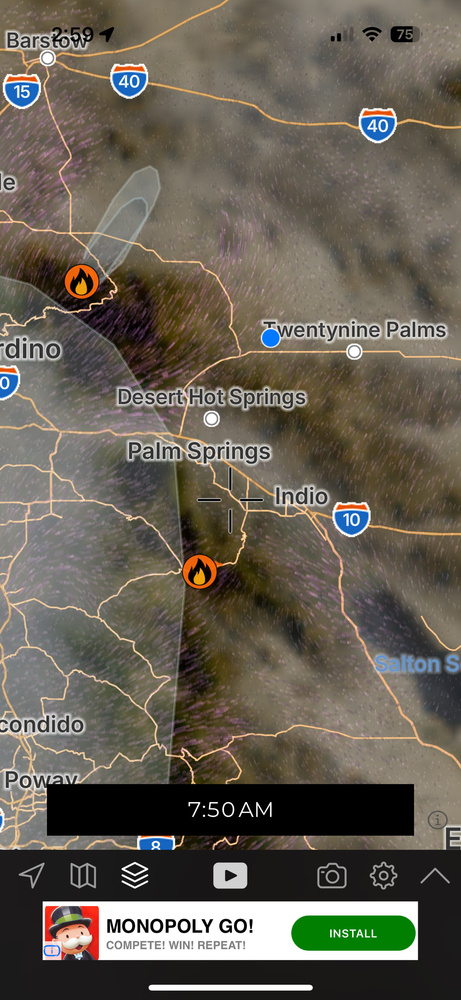
As great as Clear Outside is, it doesn't tell everything. There are other atmospheric conditions, such as smoke caused by fire, that can interfere with how clear the sky is, or even whether you might be able to see the mountains or trees from a few miles away. MyRadar offers high-definition radar, NOAA weather alerts, temperatures, forecasts, and a detailed hurricane tracker as well. It also provides models of winds, clouds, haze, and more, which you may show as customizable layers. Learn more at MyRadar.com.
PhotoPills
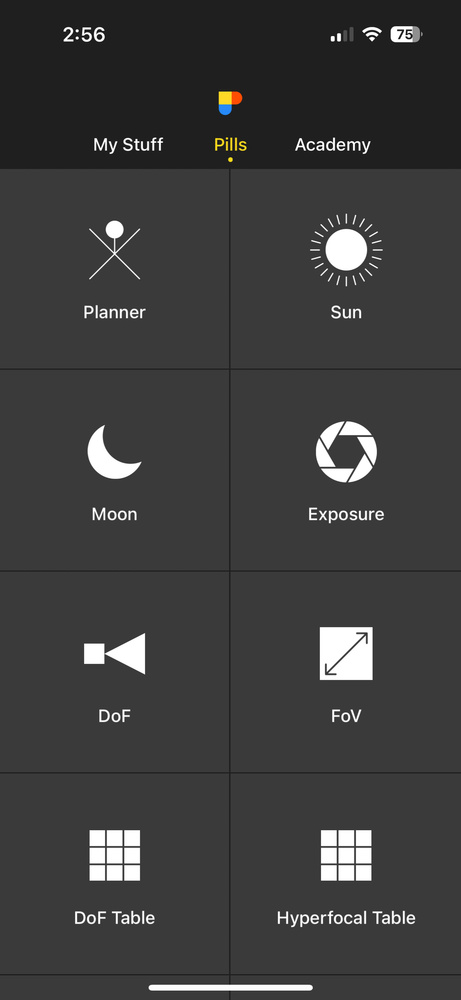
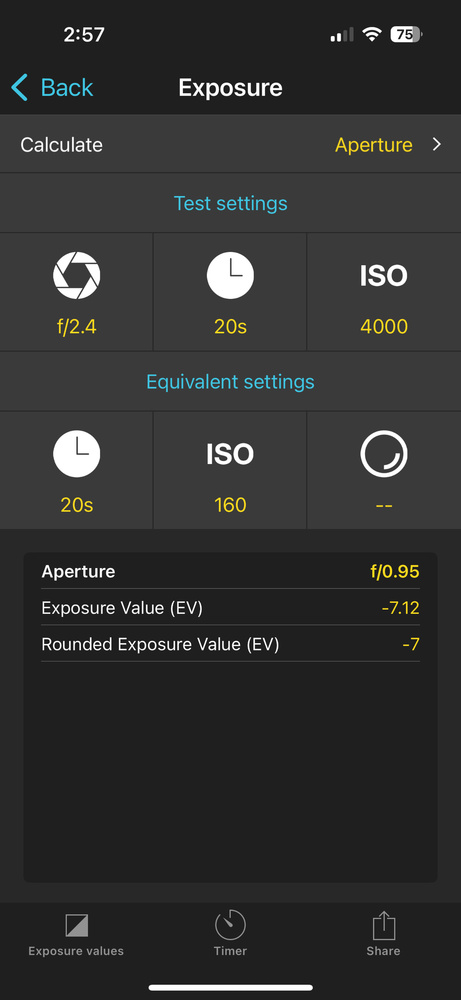
This is an obvious pick, but with good reason. It seemingly does it all and goes as deep as you want it to go. Sometimes, I feel like I have to be a bit of a scientist to work this, but it rewards patience by doing … well, everything but the kitchen sink: landscape, Milky Way, moon, sunrise, sunset, architecture, star trails, drone, meteor showers, solar eclipse, lunar eclipse, time-lapse, wedding, portrait, travel, location planning, augmented reality, determining depth of field, and more.
And yes, it works offline. Learn more at photopills.com.
Sky Guide
Free: iOS (“Lite” version available)
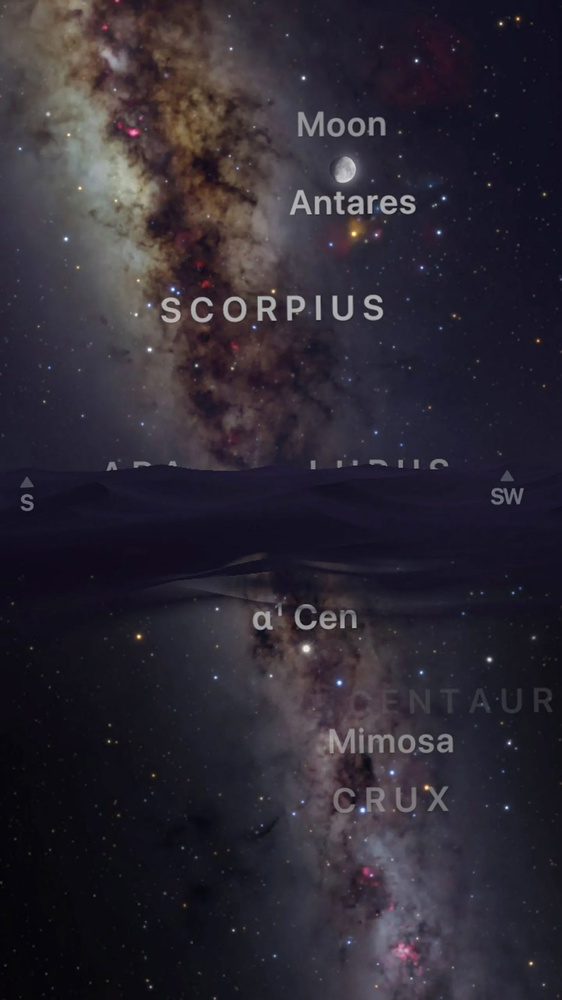
Sky Guide is an astronomy app that would satisfy just about anyone with a detailed, scalable (via the usual pinching method), and configurable map of the stars, showing all the celestial objects that you’ve come to know and love.
You can read about detailed information by poking or searching for a celestial object. That includes comets! And yes, it has the International Space Station too! You may turn constellations on or off (I usually have it off). Learn more at fifthstarlabs.com.
Note: Sky Guide is no longer available on Android. However, Star Walk 2 is, and it's also free. And it too is good.
The Photographer's Ephemeris
$9.99: Android or iOS
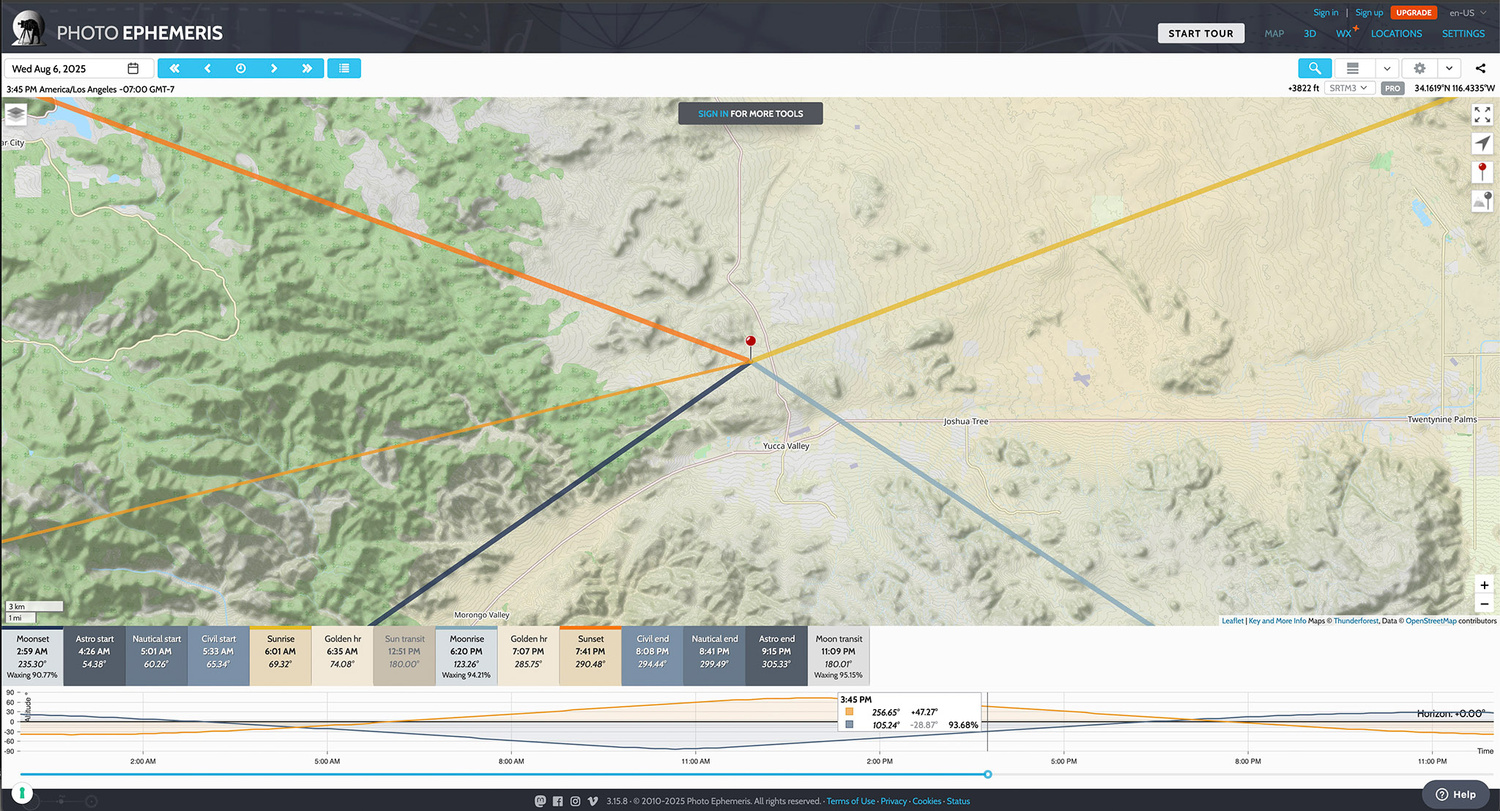
The Photographer's Ephemeris is both an app and a web-based tool that utilizes map-based tools and augmented reality to visualize light direction and celestial events, aiding in location scouting and timing photo opportunities. I must confess, I haven't used this in a while. I will likely rectify that by downloading the app when I'm finished. It is fantastic for determining where the light from the moon, sun, and more will illuminate the landscape. You can visualize where specific stars or the Milky Way will be on a map. You can also determine whether hills or other objects might block the sun or moon. And it does much more than this. Learn more at TPE.
Soothing Sleep Sounds
Free: iOS
Surprise! You weren’t expecting this, were you? I need to keep you on your toes.
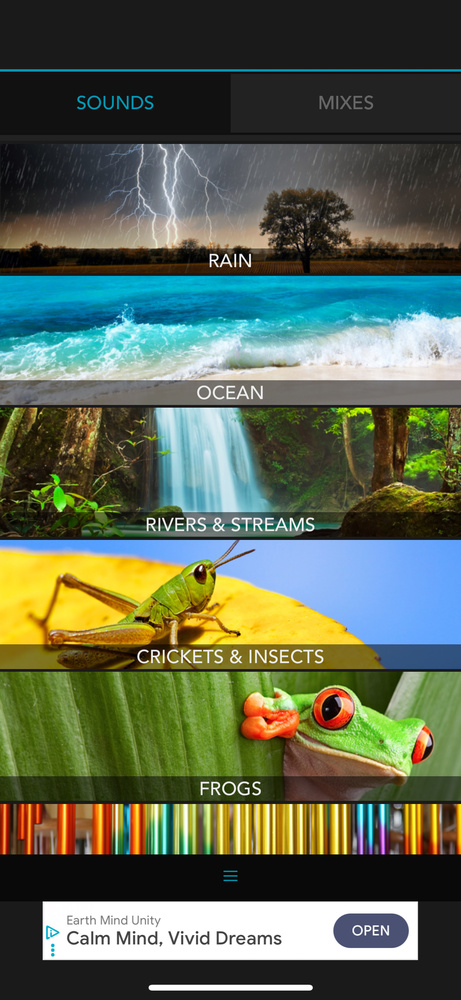
Soothing Sleep Sounds, a perfectly descriptive name for an app if I've ever heard one, has a plethora of naturally recorded sounds that loop and continue throughout the night. You can mix and match rich sounds such as rainforests, gentle waves, South African crickets, campfires, or wind chimes. I've been using this app for many years to create a soothing environment and to mask out sounds as I sleep late. It does a good job of masking out those cheap motel rooms that have air conditioners or heaters that keep popping on and off and waking you up.
It works great at creating a soothing environment and masking annoying sounds after a long night of night photography. Even better, you may mix and match sounds so you have your favorites playing together. It will save them so you can always play them. I say yes!
This is only available for iOS, but there are apps, such as Sleep Sounds on Android, to help you sleep like a rock. We deserve it, right?


This is a solid selection of apps that can be used for a variety of purposes, as well as for just learning more about what's going on around us and above us at any given moment. I'm most familiar with Clear Outside, which I've found to be typically accurate.
Thanks, Kelly. That's my favorite one personally. I love all of these, but I use that one the most. And yes, they are great for learning about weather patterns, what is going on around us, fires, haze, smoke, and more.
"Stellarium" is available at App Store, Google Play, and on the web. It is FREE, open source, versatile, powerful, accurate...and did I mention free?
Haha! You did! That’s a good app as well! I did not know it was open-source, though, so good to know. Thanks.
I'm a Android user and my two go to apps are Stellarium and Photo Pills. Between those two and my weather app (Wunderground) I have pretty much all my bases covered.
Yeah, you’re good there. The only things left out are maybe auroras and smoke from fire? But if you don’t need those (and most don’t), you’re completely covered.
If you’re in North America then Astrospheric is the most well-rounded and feature-packed app for astronomy that I’ve personally ever come across.
I like Sky Safari as far as planetarium apps go, even though I bought PhotoPills I can’t remember the last time I used it for astrophotography since the former has an AR function. Personal preference I guess!
I'd add a couple more - Planit Pro, Light Pollution Map, Windy and Sun Surveyor. And Stellarium Plus has a fee attached, but it adds functions not available on the free version. Light Pollution Map is great for finding areas that are likely better for night sky photography. Windy can help one plan for dressing properly for being out on cold nights.
Thanks, Willy. Ive never used Planit Pro, but people I know rave about that.
And I've heard good things about several of those other apps you mention as well. We really live in a fantastic age for photography, with lots of third-party products, apps, and innovative products.
One very important app if near water with tides is "Plan it Pro" lit is like photo pills a little but all it's many tool is the tide selection! some how it gets tide info from the nearest source that reports it. For us milky way photographers capturing on a dark sky beach you get in your hand a sinewave look along with the sun and moon at the bottom date and hour line. Great for planning also.
Why early months like Feb. and Mar. when working around the 5 days before and after a new moon the early days like 5 before you will have a high tide as the moon rises but as it gets higher the tide goes out leaving a clean no foot prints beach. It always happens when out in the early morning when people and there dogs come out to walk.
My story: I was on Jekyll Island to capture some Milky way images and i am not to good at reading the paper tide charts and it was 5 days before the new moon because weather was going to be bad on new moon day and it was March 5th and the year the New Moon is at the first of the month (it changes every year either the first or last) and I got to the beach around 2:30 but it was high tide when I got there so captured a few and left and while driving back i spotted a crescent moon rising with the what looked like the milky way above stopped and captured it but then headed back. That was when i learned the tide goes out when the moon rises. it was March before DLST so some hours before the sunrise. so I stayed and learned something else the crescent moon during long exposure looks like a full moon. I found Plan it Pro soon after and went out 5 days before in the early months of Feb. to Apr. when you get out there sometime after midnight to sunrise with a tide going out and crescent moon rising and capturing both during Blue Hour times before and after with sunrise colors only the camera can see. All these on March 05-06 2016, just run and capture as your imagination can dream of a new place, well PhotoPills Night AR lets you see where the MW will be when out scouting and some glow spay paint will help you find the spot in the dark! The Lens Rokinon 14mm f/2.8 (unchipped) it took a few years before Lrc got the LC, the horizon was tilted up. good things come to those who wait.
I'm just going to start off with how much I love your comment. Lots of great experiences, stories, and info.
And like I mentioned in my other comment, I've heard nothing but good things about Planit Pro. I just have never tried it. And I certainly never knew that it had tide information. The few times that I've done photos right on the water, I went to a tide website, copied the info, and printed it out. In other words, rather crude. Since then, there's all these fantastic apps that give you the information, and presenting it in a much more visual way than my piece of paper, haha!
Great article. Was wondering if everyone was using Clear Outside to predict Fog. It seems that that reading is now always blank for some reason. Has anyone else found the same thing happening? If so, what are people using to predict mist and fog? Cheers
How about "Astroweather" For my Android phone. It gives fog and everything else. Ok i am on the Fl. and Ga. coasts mainly and early mornings say 3am, but what no one thinks about is just the salt air at might. bottom line you will not know till you get there. I use Sony and there are some jpeg settings that are like the dehaze in Lrc. We are lucky today with LED daylight lights BUT some of the filters for those old Orange vaper light can cut through it. Like the autumn color filters.
I have continued to capture even while watching fog roll right to me during some panoramas, that's where lights from behind you light it up.
Also I have gotten to a farm after spring planting but the fog is low or clouds are low but with dark skies above. There air weather man math solvers of this and that.
When i am out I notice it is the breeze coming from behind me or land breeze land pushing the fog away out to sea. Mostly you will not see it but camera will.
My biggest thing is the clouds racing over head, yes racing over head, waiting for an opening, but then again there are stars above so interesting captures while you wait.
I am not familiar with Astroweather, but it sounds great, thanks. It looks like it is available for iOS as well as Android. https://apps.apple.com/us/app/astroweather-astronomy-tools/id1257346912
You also bring up a great point about the salt air. And just generally speaking, the coastal air is thick, anyway, so even if you have dark skies, they are sometimes more diffuse. But that doesn't stop anyone from getting beautiful night photos, such as the ones you are getting (and Georgia and Florida are looking compelling in your photos! Great stuff!).
Here in California, I've photographed around the Eastern Sierra in Owens Valley, and I've had to wait and hope the skies clear. And it's not always from clouds, but also from smoke from wildfires. :(
So far, thankfully, Clear Outside has been working for me, and reasonably accurate. To be fair, I live in the high desert, and fog isn't really a thing here. But when I've photographed in Georgia, West Virginia, Pennsylvania, the California coast, and elsewhere, it's been working. Sorry it doesn't seem to be working for you.
I'm thinking it might be because I'm in Australia and the model that it uses isn't working at the moment
Oh, that's too bad. If so, I'm curious as to why that might be!
I'd add Dark Skies to the list.
Yes, I remember that app. Wasn't it shut down a couple of years ago? https://nightingaledvs.com/dark-sky-weather-data-viz/