
Here's a radical thought: the most underutilized piece of equipment in your camera bag isn't that expensive filter you never remember to use or the flash modifier gathering dust on your shelf. It's something else that came with your camera and that you probably tossed aside.
That's right, I'm talking about your camera's manual. If you're rolling your eyes right now, you're proving my point. We've become so conditioned to intuitive interfaces and YouTube tutorials that we've forgotten something fundamental: understanding your tools at a deeper level doesn't just prevent frustration—it unlocks creative possibilities you didn't even know existed.
The Complexity Hidden in Plain Sight
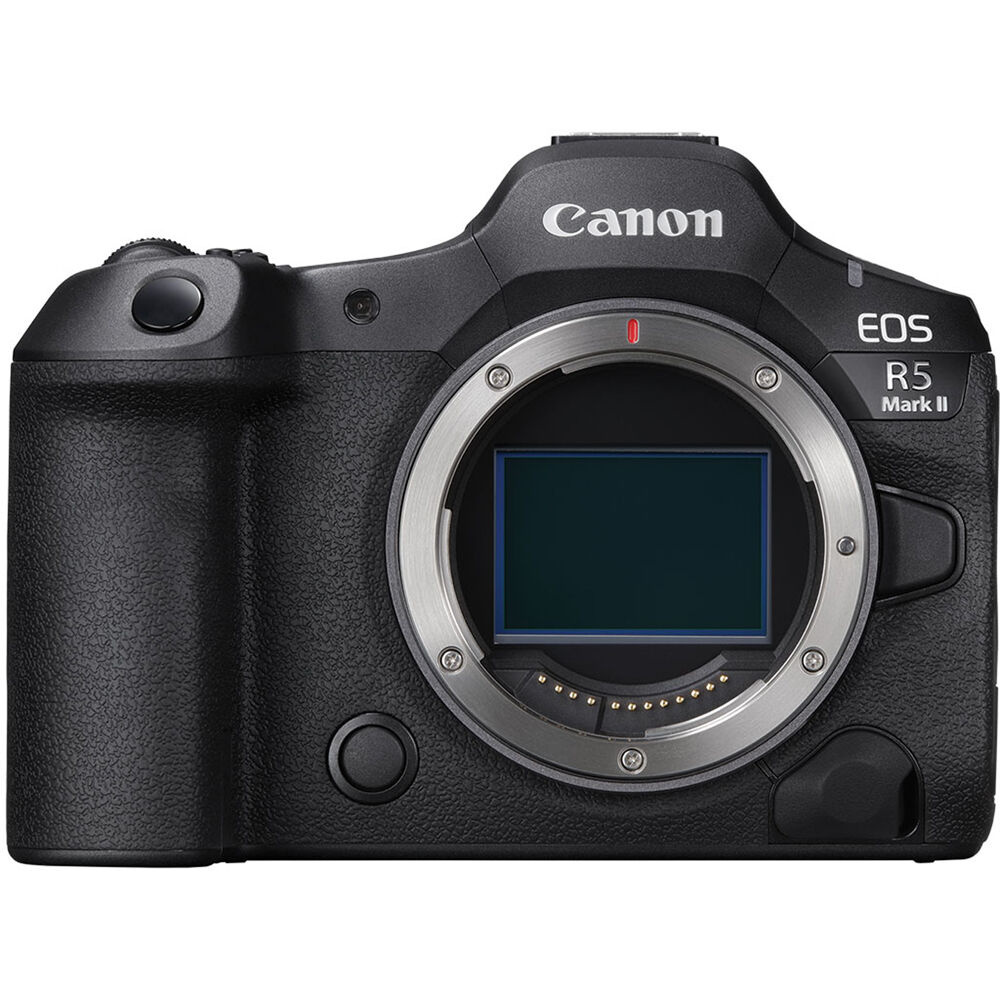
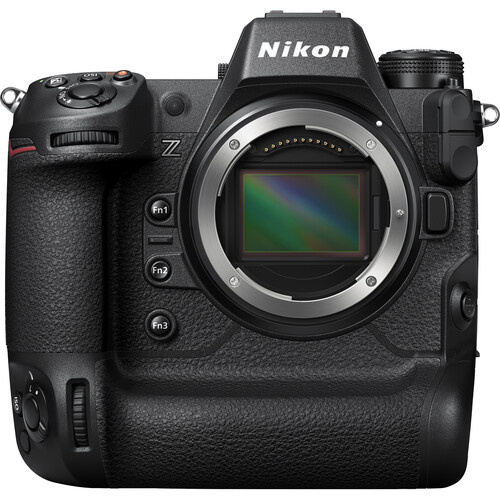
Modern digital cameras are remarkably sophisticated machines, yet their interfaces often hide this complexity behind deceptively simple controls. A Canon EOS R5, for instance, contains hundreds of customizable settings spread across multiple menu pages, each designed to address specific shooting scenarios or creative needs. A Nikon Z9 offers similar depth, with focus tracking algorithms that can be fine-tuned for different subject types and movement patterns.
This complexity isn't accidental; it's the result of decades of technological advancement and user feedback. Camera manufacturers have spent enormous resources developing features that address real-world shooting challenges, yet many of these innovations remain effectively invisible to photographers who never venture beyond the basic controls. These cameras offer dozens of ways to modify their behavior, from subtle adjustments in autofocus sensitivity to dramatic changes in how the camera responds to different lighting conditions.
Take back-button focus, for example, a technique that separates focus acquisition from the shutter release. This functionality exists in virtually every DSLR and mirrorless interchangeable-lens camera made in the last decade (noting that some entry-level compacts and bridge cameras lack a dedicated AF-On button), yet many photographers never enable it because it requires menu diving and intentional setup. Once configured, however, it fundamentally changes how you interact with moving subjects, giving you precise control over when and where the camera focuses.
The automatic exposure systems in modern cameras represent some of the most sophisticated light measurement technology ever created, yet most photographers use them like point-and-shoot cameras from the 1990s. Understanding how your camera's metering system actually works and when to override it can mean the difference between technically adequate images and photographs that precisely match your creative intent.
Matrix or evaluative metering modes, for instance, don't simply average the light across the frame. They use algorithms trained on vast libraries of scenes to predict optimal exposure settings. But these systems make assumptions about what constitutes a "correct" exposure, assumptions that may not align with your artistic vision.
Spot metering, center-weighted metering, and highlight-weighted metering each serve specific purposes, but their effectiveness depends entirely on understanding when and how to apply them. A camera manual doesn't just explain what these modes do—it typically includes guidance about which situations call for each approach.
Modern autofocus systems represent perhaps the most dramatic advancement in camera technology over the past decade. These systems offer numerous customization options that remain unexplored by many photographers. The Sony a7 IV, for example, allows users to adjust focus tracking sensitivity, switch between different subject detection modes, and customize how the camera responds when the primary subject temporarily leaves the frame. Canon's Dual Pixel CMOS AF system in cameras like the EOS R6 Mark II offers similarly granular control over focus behavior.
Understanding these options isn't just about technical proficiency—it's about matching the camera's behavior to your specific shooting style and subject matter. A wildlife photographer tracking erratic bird flight needs different focus settings than a portrait photographer working with relatively static human subjects.
Optimization Techniques That Actually Matter
Digital cameras are essentially sophisticated computers with lenses attached, and like any computer, their performance varies significantly based on how they're configured. Battery life, processing speed, and heat management all respond to optimization techniques that are thoroughly documented in camera manuals but rarely discussed in general photography education.
Consider the impact of different image quality settings on camera performance. Shooting in compressed raw versus uncompressed raw affects not just file sizes but also buffer clearing times and maximum burst rates. The difference might seem academic until you're photographing a once-in-a-lifetime moment and your camera locks up because the buffer is full.
Similarly, many cameras offer power management settings that can dramatically extend battery life without significantly impacting functionality. Sleep timers, LCD brightness controls, and wireless connectivity management all influence power consumption in ways that aren't immediately obvious but become crucial during extended shooting sessions.
The relationship between image quality settings and final output is more nuanced than many photographers realize. JPEG quality levels, for instance, don't just affect file compression—they influence the camera's internal processing algorithms in ways that can impact color rendering, noise reduction, and detail preservation. Many cameras also offer picture style or film simulation modes that go far beyond simple color adjustments. These modes often incorporate complex tone curves, color grading, and even grain structures that mimic specific film stocks or aesthetic preferences. Understanding how these modes work—and when to use them—can significantly streamline post-processing workflows.
Raw file formats present their own optimization considerations. Some cameras offer multiple raw format options, each with different compression algorithms and bit depths. The choice between these formats affects not just storage requirements but also dynamic range preservation, editing latitude, and noise characteristics.
Modern cameras offer connectivity options that can dramatically improve shooting efficiency, yet many photographers never fully leverage these capabilities. Built-in WiFi, Bluetooth, and USB-C connections enable sophisticated workflow integrations that go far beyond simple image transfer. I'm a big fan of using Wi-Fi remote control for putting my camera in places I can't go during a concert, for example.
Tethered shooting capabilities, for example, allow real-time image review on larger screens, immediate backup to multiple storage locations, and even remote camera control for situations where physical access to the camera is limited. These features require specific setup procedures and often work best with particular software configurations—details that are thoroughly covered in camera manuals but rarely explored in casual use. Cloud connectivity features in newer cameras can automatically sync images to online storage services, enabling immediate sharing and backup without manual intervention. However, these features typically require careful configuration to balance convenience with data usage and security considerations.
A Case Study: The Canon EOS R5 Mark II Autofocus System
To illustrate exactly how much capability photographers miss by skipping manual study, consider the autofocus system in Canon's EOS R5 Mark II.
The Surface vs. The Depths
It's no secret that the camera focuses quickly and accurately, but that barely scratches the surface. The reality, documented across almost 100 pages of the camera's manual, reveals an autofocus system with hundreds of customizable parameters. The AF tab alone contains seven sub-menus (AF1 through AF7) with options ranging from fundamental operation modes to sophisticated tracking algorithms that can be tailored for specific shooting scenarios.
Subject Detection and Tracking Sophistication
The R5 Mark II's subject detection system exemplifies manufacturer-specific innovation that requires manual study to fully exploit. The camera can detect people, animals, or vehicles, but each mode contains multiple layers of intelligent behavior that aren't immediately apparent.
In People mode, the camera doesn't simply look for faces—it prioritizes faces and heads, then falls back to other body parts if primary targets aren't available. Animal mode tracks dogs, cats, horses, and birds. Vehicle mode focuses on motorsports applications, detecting "key details" of two- and four-wheeled vehicles. You can even register specific faces to track.
These aren't simple on/off switches. Each detection mode includes sensitivity adjustments, switching behavior controls, and tracking persistence settings that dramatically affect camera performance in different scenarios. A wildlife photographer tracking erratic bird flight needs entirely different configurations than a portrait photographer working with relatively static human subjects.
Canon's Dual Pixel Revolution
Canon's Dual Pixel CMOS AF technology represents one of the most significant autofocus innovations of the digital era, yet many Canon users never fully exploit its capabilities. This system doesn't just provide fast and accurate focus—it enables features like post-capture focus adjustments (available in Canon's specialized Dual Pixel RAW mode on supported bodies) in certain shooting modes.
The technology works by splitting each pixel into two photodiodes, creating phase-detection capabilities across the entire sensor surface. This approach enables smooth focus transitions that are particularly valuable for video work, but it also provides focusing precision that benefits still photography in challenging conditions.
Canon's implementation includes sophisticated subject tracking algorithms that can maintain focus on moving subjects even when they temporarily leave the frame or become partially obscured. These features require specific menu configurations to function optimally, configurations that are detailed in camera manuals but often overlooked in general photography instruction.
Other Cameras
Sony's Real-Time Tracking
Sony's approach to subject tracking represents a different philosophy but achieves similarly impressive results. Their Real-Time Tracking system uses artificial intelligence to identify and follow subjects, adapting its behavior based on subject type and movement patterns.
The system's effectiveness depends heavily on the proper configuration of tracking sensitivity, subject detection modes, and focus area settings. A photographer tracking fast-moving wildlife needs different settings than someone photographing a portrait session, and understanding these distinctions can dramatically improve focusing accuracy.
Sony's Eye AF technology, which automatically detects and focuses on human or animal eyes, similarly requires understanding of when and how to engage different detection modes. The system can distinguish between human and animal subjects, prioritize specific eyes when multiple subjects are present, and even work effectively with subjects wearing glasses or sunglasses. I still remember the first time I configured and used it and how wildly helpful it was.
Nikon's 3D Tracking Legacy
Nikon's 3D Tracking system, first introduced in professional DSLRs and now evolved for some of their mirrorless cameras, demonstrates how understanding manufacturer-specific technologies can improve shooting effectiveness. This system uses color and pattern recognition to maintain focus on moving subjects, but its effectiveness depends on proper initial subject acquisition and appropriate sensitivity settings.
The technology works by analyzing the patterns of the initially selected subject, then tracking those patterns as they move through the frame. This approach excels with subjects that have distinctive color characteristics but may struggle with subjects that closely match their surroundings. Understanding how to properly initialize 3D Tracking and when to switch to alternative focus modes requires familiarity with Nikon's specific implementation details. These nuances are thoroughly documented in manuals but rarely covered in generic focusing tutorials.
Fujifilm's Film Simulation Science
Fujifilm's approach to in-camera image processing draws directly from their decades of film manufacturing experience, resulting in film simulation modes that go far beyond simple color filters. Each simulation mode incorporates specific color science, tone curves, and even grain structures that mimic particular film stocks from Fujifilm's extensive catalog. The Velvia simulation, for instance, doesn't just boost color saturation—it applies specific color grading techniques that emphasize particular wavelengths while maintaining natural skin tones. The Classic Chrome mode incorporates desaturation techniques and highlight rolloff characteristics that mirror specific analog processes. Understanding how these simulations work and how they interact with other camera settings enables photographers to achieve specific aesthetic goals directly in-camera. This approach can significantly reduce post-processing time while maintaining consistent results across different shooting scenarios.
The Systematic Approach to Manual Mastery
Initial Setup Strategy
Approaching camera manual study requires strategy rather than random browsing. The most effective approach begins with understanding the camera's fundamental architecture: how menus are organized, what the primary control interfaces accomplish, and where critical settings are located.
Start with the basic operation section, even if you consider yourself experienced. Modern cameras often implement familiar functions in unique ways, and understanding manufacturer-specific approaches prevents frustration during critical shooting moments. Pay particular attention to how your camera handles exposure compensation, ISO adjustment, and autofocus mode selection, as these represent the most frequently accessed controls.
Next, focus on the shooting modes and their specific behaviors. Even photographers who primarily work in manual mode benefit from understanding how aperture priority, shutter priority, and program modes function in their specific camera. These modes often include customization options that can make them more useful than their default configurations suggest.
Menu System Navigation
Modern camera menu systems can contain hundreds of options spread across multiple pages and sub-menus. Rather than attempting to memorize every option, focus on understanding the organizational logic that governs menu structure. Most manufacturers group related functions together, but the specific categorization and naming schemes vary between brands and even between camera models within the same brand.
Identify the sections that contain functions you're likely to modify regularly, and note the path to reach them quickly; even consider adding them to a custom menu. Many cameras offer "My Menu" or custom menu options that allow frequently accessed settings to be grouped in a single location. Setting up these custom menus early in your camera ownership can dramatically improve shooting efficiency.
Pay attention to settings that affect camera behavior globally versus those that apply only to specific shooting modes. Some autofocus settings, for example, apply regardless of exposure mode, while others are mode-specific. Understanding these relationships prevents confusion when camera behavior changes unexpectedly.
Feature Integration Understanding
The most sophisticated camera features often work best when multiple systems are properly configured to work together. Understanding these relationships requires moving beyond individual feature descriptions to comprehend how different camera systems interact. For example, achieving optimal results with high-speed continuous shooting often requires coordinating autofocus settings, buffer management, and image quality choices. The camera manual typically explains not just how each system works individually but also how they influence each other's performance. Similarly, achieving consistent results in challenging lighting conditions often requires understanding how metering, exposure compensation, and ISO settings interact. The manual provides the technical foundation for making informed decisions about these interactions rather than relying on trial and error.
How Equipment Knowledge Unleashes Creativity
Beyond Technical Competence
Understanding your camera at a deep level doesn't just prevent technical problems—it enables creative approaches that would be impossible without that knowledge. When you understand exactly how your camera responds to different settings and conditions, you can intentionally push those boundaries to achieve specific artistic effects. For example, you can set ISO and shutter speed limits on aperture priority mode, allowing you explore depth of field effects without worry.
Workflow Optimization
Thorough equipment knowledge enables workflow optimizations that compound over time, creating significant advantages in both efficiency and creative output. Photographers who understand their camera's file management systems can implement organizational strategies that save hours in post-processing and archive management.
Many cameras offer sophisticated file naming and folder organization options that can automatically sort images based on shooting parameters, date ranges, or custom criteria. These features require initial setup and understanding of the camera's file management logic, but they can eliminate much of the tedious organizational work that often accompanies large shooting sessions.
Custom function assignments represent another area where deep equipment knowledge creates long-term workflow advantages. By assigning frequently used functions to easily accessible buttons and controls, photographers can maintain creative flow without interrupting their shooting rhythm to navigate menu systems.
Advanced photographers often achieve their most distinctive results by deliberately pushing their equipment beyond conventional usage parameters. This approach requires understanding not just what different settings do but also how they behave at their extremes and in combination with other settings.
Troubleshooting: When Knowing Your Gear Saves the Day
Field Problem Solving
Camera malfunctions rarely occur at convenient times, and the ability to diagnose and resolve problems quickly can mean the difference between capturing critical moments and missing them entirely. Camera manuals typically include extensive troubleshooting sections and error glossaries that address common problems and their solutions, but these resources are only valuable if you're familiar with them before problems occur.
Understanding your camera's error message system enables rapid problem identification even in stressful situations. Most cameras display specific error codes or messages that correspond to particular issues, from memory card problems to lens communication errors. Knowing how to interpret these messages and what corrective actions to take can resolve many field problems without missing important shooting opportunities.
Firmware and Software Integration
Modern cameras are essentially sophisticated computers, and like any computer, their performance depends heavily on software configuration and updates. Camera manuals typically include detailed information about firmware update procedures, software compatibility, and integration with post-processing applications. Understanding how firmware updates affect camera behavior enables informed decisions about when and whether to install updates. Some updates introduce new features or improve existing functionality, while others address specific compatibility issues or security concerns. The manual provides context for evaluating whether particular updates are beneficial for your specific use cases.
Maintenance and Longevity
Proper camera maintenance extends equipment lifespan and maintains performance consistency, but effective maintenance requires understanding your specific camera's requirements and vulnerabilities. Different camera designs have different maintenance needs, from sensor cleaning procedures to weather sealing maintenance.
Understanding your camera's environmental limitations enables informed decisions about when and how to use it in challenging conditions. While modern cameras are remarkably robust, they each have specific vulnerabilities that require awareness and preparation. Some cameras, for example, are more susceptible to condensation problems when moving between temperature extremes, while others may have particular dust ingress points that require attention.
The Path Forward: Reclaiming Equipment Mastery
Practical Implementation
Developing deep equipment knowledge requires commitment and systematic approach, but the benefits compound over time to create significant creative and professional advantages. Start with sections that address your most common shooting scenarios, then gradually expand to explore functions and features that support different creative approaches. Many photographers discover capabilities they never knew existed simply by systematically reading through their camera manual rather than consulting it only when problems arise.
Document your discoveries and experiments in a way that reinforces learning and provides future reference. Many photographers benefit from creating personal reference sheets that summarize key settings and procedures for different shooting scenarios. This documentation process reinforces learning while creating practical tools for field use.
Beyond the Manual
While the camera manual provides essential foundational knowledge, true equipment mastery requires moving beyond documentation to systematic experimentation and practice. Use your manual knowledge as a foundation for deliberate exploration of your camera's capabilities and limitations.
Create personal projects that specifically challenge your equipment understanding and force you to explore functions you might not use in typical shooting situations. These projects don't need to produce portfolio-worthy images—their value lies in expanding your technical capabilities and creative options.
The manual is not an endpoint but a beginning—a foundation for developing the kind of intimate equipment knowledge that enables consistent creative expression and professional reliability. In an era when photography technology advances at breakneck speed, the photographers who invest in truly understanding their current tools will consistently outperform those who chase the latest innovations without mastering what they already own.






I used to be an "I open the manual once something is broken" type of person, but then I randomly saw something about compressed vs uncompressed raw (never even thought about it before) and it really did improve the whole process, just as you mention here. Partially thanks to that I've never been in the situation where the buffer is full and prevents me from taking a Very Rare Picture.
Looking through the manual or various how-to's of the tools you use at least once in a while is very important. You might find something you've never thought of that would prove itself useful down the road. Apparently, Clipify has a whole article on recording a Zoom meeting and I found out about that just the day before winning a Zoom call with one of my favorite local music bands. The thought of recording the call wouldn't have crossed my mind, but luckily that time it did.
Yes! That's exactly the kind of discovery that makes diving into manuals so worthwhile. Those little technical details that seem boring until you realize they solve real problems you didn't even know you had.
I was just thinking about this the other day .
I have the Nikon Z9 . I set it up with the custom button layout about two different times. I set it up for speed of use and the simplest basic capture shooting in Raw .
The camera can do so much and I just use it similar to a film camera and manual settings.
I shoot Live Music, events , festivals and closeup nature.
I’ve been thinking of learning more of what this beast can do . I have a Nikon d850, d810 and d500 along with 2 Sony a7siii’s. Ive never ventured far into what they can do besides what I’d set them up for . Video and the basic, aperture, shutter speed and iso use. Video takes a bit more knowledge.
These cameras can do so much as you said in the article. Phenomenal computers.
Thanks for the article! Very well done !
The Z9 is such a beast! You're sitting on some incredible capability there. Great to meet a fellow music photographer!
Nice article Alex.
Thanks, Bill! Appreciate you reading it.
hmm... isn't 'The Manual' been replaced with the quick google how-to search or step by step found on the internet. The old manual book, just seems out of date concept in 2025. Even when you get a kit, that you need to put together, often instead of the old step-1, 2 paper, you get a QR code, and you scan with your phone to place on the net to follow the visual instructions.
If you know the questions to ask, the internet can give you a fast answer. But exploring a manual can give you insight into the camera's features that you may not have known you were missing, or thought to ask. It's like an encyclopedia... you can find the answer to any conceivable question on Wikipedia, but the real books almost always cause a curious person to explore other subjects while the book is open that you would not have otherwise.
I agree wholeheartedly. Here's another tip that can entice us to read again the camera manual: remember the sales brochure or webpage that attracted you to your current camera? Download it, read it again, then look in your camera manual for the settings of how to exactly do the brochure photos. Write small notes or just page numbers between both for cross-references. Keep both the brochure and manual in the same place for further consultation and inspiration.