Recent Lightroom Articles

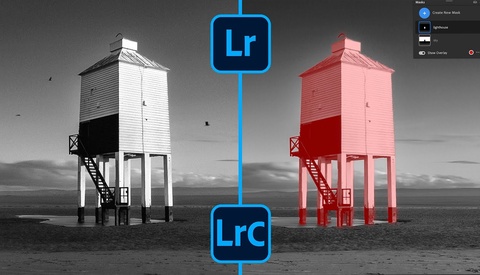
How to Fix Harsh Light With Simple Lightroom Masks

Shooting in harsh midday sunlight is something you’ll probably avoid whenever you can, but sometimes it’s your only option. That kind of light can leave you with dull results, which makes editing an essential part of the process.


Lightroom Sliders You’re Probably Using Wrong

Lightroom is full of small controls that can quietly ruin your images if you don’t understand how they interact. The difference between an artificial edit and a clean, natural one often comes down to how you balance the simplest tools. When you know which sliders are tricking you, you can stop fighting the program and start getting results that feel intentional.

5 Lightroom Secrets You Should Know

Lightroom Classic hides powerful features in plain sight that can dramatically speed up your editing workflow. Even experienced users regularly miss these tools, leading to slower editing sessions and frustrating workarounds that could be avoided entirely.

5 Lightroom Classic Tools That Will Cut Your Editing Time in Half

Your Lightroom Classic workflow could be moving twice as fast with the right tools, but many people never discover the features that eliminate hours of tedious editing work. These AI-powered shortcuts and advanced masking techniques can transform how you approach photo editing by automating the repetitive tasks that slow you down.

I Quit Editing My Photos and It Transformed My Photography

I've spent over a decade capturing photos with the intention to always edit them, no matter what. Thus, last year when I let myself just take photos and enjoy them right on the back of my camera, it completely shifted my photography.
How to Make Your Subject Pop Using Lightroom Masking Techniques

When your subject gets lost in a busy composition, even the most technically perfect image falls flat. The solution lies in understanding how to manipulate light and shadow within your editing workflow to guide your viewer's eye exactly where you want it to go.

Move Over Lightroom, Luminar Neo Is The One

I've always been skeptical about the introduction of AI into popular applications such as Photoshop; however, as time went on, I started experimenting with specific features, and eventually, Luminar Neo emerged as a standalone and plugin app for Photoshop and Lightroom. Naturally, my curiosity was piqued, and I had to test it out. To my surprise, I found it so helpful that I wondered why I had been using Lightroom in the first place.

Recover Highlights and Shadows Effortlessly Using Adobe Neutral

If you've struggled with editing photos that have excessively bright highlights and deep, dark shadows, Lightroom's Adobe Neutral profile could fundamentally change your approach. This lesser-used tool offers distinct editing advantages, especially in complicated lighting situations.

Perfecting Lightroom Sky Selections With Ease

When dealing with intricate details like tree branches against skies, creating precise masks in Lightroom can feel like an uphill battle. Precise masking is essential to control edits effectively, especially when working with scenes involving complex edges, such as foliage or fine structures.

Add Realistic Fog to Your Landscape Photos in Lightroom

Adding convincing artificial fog can give your landscape photographs depth and mood that's tough to create in camera. If you've struggled to do it effectively in Lightroom, this technique can take your results to a new level.

Mastering Lightroom Basics: Step-by-Step Portrait Editing

If you've struggled to understand Lightroom, or if your photo edits feel inconsistent and unpredictable, this tutorial provides a clear path forward. Clearly grasping each editing step helps you consistently achieve professional-quality results.

Simple Lightroom Fixes for Underexposed Photos

Rescuing an underexposed photo can feel like a tricky balancing act between recovering detail and avoiding noise. Mastering this skill transforms otherwise lost shots into worthwhile images.

Editing Forest Photos: Practical Lightroom Tips

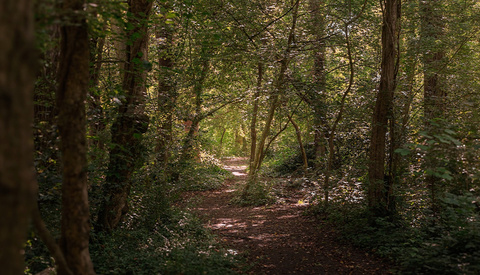
Editing forest scenes in Lightroom Classic can quickly become tricky because of stark contrasts between shadow and light. Knowing how to handle this complexity can elevate your landscape photos from average to exceptional.

Refine Sky Masks in Lightroom with One Simple Step

Creating precise sky masks in Lightroom can drastically elevate your edits, ensuring the adjustments you make affect only what you intend. If you've struggled with masks bleeding into unintended areas, mastering this skill makes a noticeable difference.

Simple Techniques to Transform Common Photo Scenes

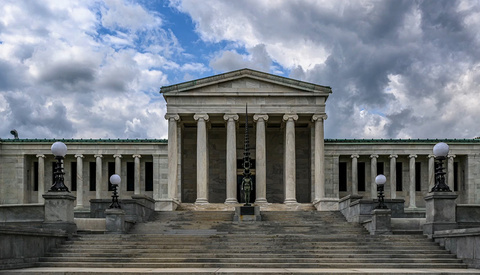
Taking compelling photos of popular locations isn't about finding an untouched spot, but about how you see and capture a scene. A few specific editing techniques can significantly elevate your work, even in familiar places.

Advanced Lightroom Techniques for Perfecting Contrast

Contrast can make or break your images, and knowing how to control it precisely is essential. Getting beyond the basic slider in Lightroom opens up powerful editing options that enhance your creative control.

How to Add Realistic Drama to Landscape Photos

Lightroom Classic offers powerful tools, but many users overlook the potential of luminance and color masks for enhancing landscapes, especially skies. Knowing how to skillfully apply these masks can significantly improve your photos, adding depth and drama.

9 Lightroom Tools You're Probably Ignoring

Lightroom contains powerful tools hidden just below the surface. Knowing these can significantly improve your workflow, giving you more control over your images.

Upgrade Your Photo Editing With Lightroom’s New Masking Tools

If you're still editing your photos in Lightroom Classic the same way you always have, the addition of AI-powered masking could significantly change your approach. Adobe's updates have transformed what used to be complex adjustments into simple and powerful masking tools that provide better results faster.

Does Lightroom’s AI Image Processing Work on Night Photography Too?

Adobe's new Adaptive Color Profile uses AI to analyze an image, adjusting color, tone, and contrast of raw images. Unlike presets, Adaptive Color Profile is not a "one size fits all." How would it work with night photography images, which are notoriously difficult for AI to interpret?

Advanced Lightroom Edits Without Photoshop

Removing unwanted elements from your images can drastically change their impact, and knowing how to quickly and effectively achieve this within Lightroom alone can streamline your editing workflow.

Take Full Control of Your Landscape Photo Edits

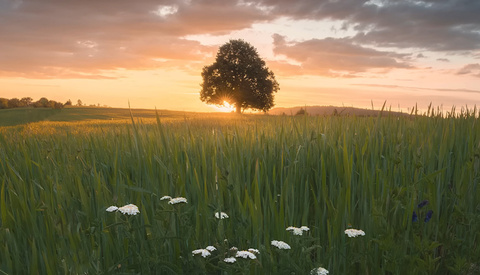
Landscape masking isn’t just another feature buried in your editing software—it’s a direct way to control where the viewer’s eye travels, what they notice first, and how your image feels. If you’re working with scenes that have complex skies, fields, or multiple subjects, learning to harness masking and adaptive presets matters because it lets you guide your edit instead of settling for what the camera captured.

How to Use Lightroom’s New AI Masking for Better Landscape Edits

Lightroom’s new AI masking tools let you target areas like sky, mountains, water, and buildings in your photos without spending time painting masks by hand. If you’re working with images that mix natural and manmade elements, these features let you adjust only the areas you want. You can brighten a sky, sharpen a building, or bring out color in a patch of grass, without the usual hassle of doing it all manually.

Make Your Blue Hour Photos Stand Out

Capturing blue hour is rewarding, but the real magic happens during editing. Learning precise techniques to refine exposure and color helps your images resonate more strongly with viewers.