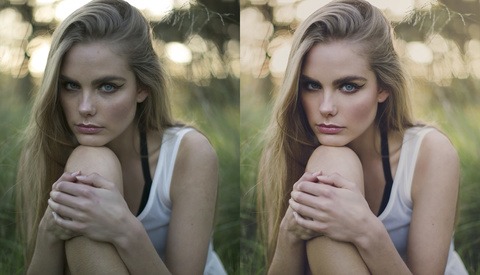
Instagram Hashtag Strategy for Any Photographer
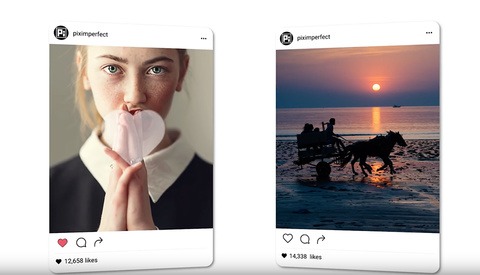
You have all probably heard of SEO or search engine optimization and know how important it is for any website. Did you realize that using the right hashtags on Instagram is the exact same concept?
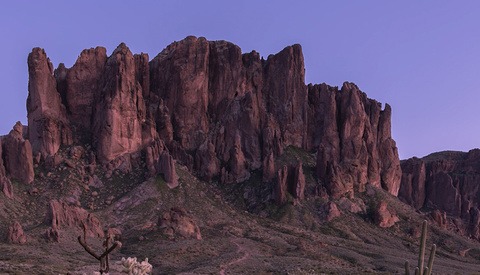
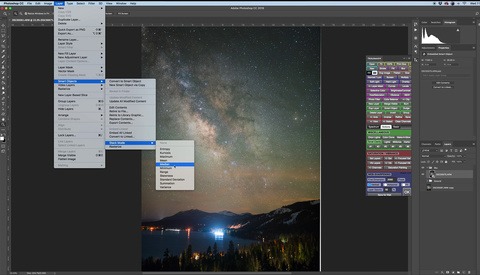
If you're shooting macro or landscape images and are looking for maximum sharpness across your entire image, focus stacking is one of the most useful techniques you can learn. This helpful video will show you how it's done using Photoshop.
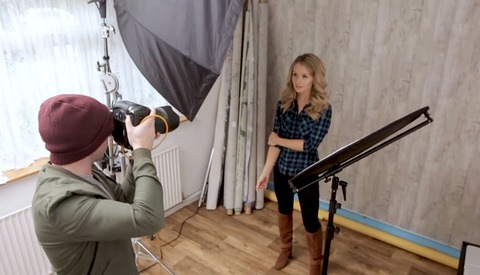
When working with models or people without posing experience, a bad pose can ruin your shot regardless of how everything else comes together. You can have the best location, best lighting, and the best gear but it all comes down to your subject's talent and ability to pose. Here's a number of tips that you can use to help your subject achieve better results in front of the camera.
Color toning is one of those final steps that can really make your photos both pop and add a very personal stylistic touch. This awesome video will show you an advanced color toning technique using Photoshop.
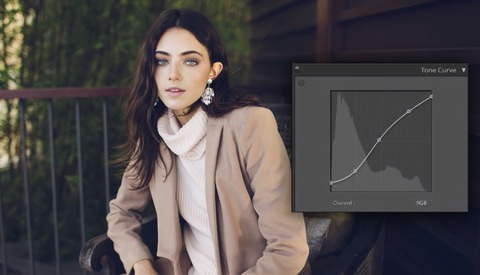
The tone curve in Lightroom is one of the less understood tools; nonetheless, it's one of the more powerful ones. It can be a bit tricky to figure out on your own, but this tutorial is a perfect way to get acquainted or further acquainted with the tool.
A lot of photographers look for ways to give their portraits a three-dimensional "pop," whether that's through the lens used or some sort of post-processing technique. This great video will show you a quick and effective method for getting that look using Photoshop.
Photoshop’s adjustment layers are some of the most powerful tools available for post-processing photographs. With the ever-increasing number of sliders available in Lightroom and Camera Raw, the adjustment layers in Photoshop seem to get less visibility, which is a mistake.
Do your photographs on Instagram not look as good as they do on your computer screen? Are you looking for something to improve the look of your photos on Instagram? Well, watch this video to improve their appearance on Instagram.
How you use colors in photography is very important. Colors are an essential part of your composition and can either make or break your photo.
Do you ever wonder how many photos you should deliver from a session? Here is why I believe that you are giving too many.
Using a high ISO setting to capture starry skies is a pretty common practice when shooting astrophotography, though such an ISO setting can result in a fair amount of noise in your image. This tutorial takes you through several processes in Photoshop to reduce the amount of noise in your final image.
Want to know the secrets of turning any space, no matter how boring, bland, or dirty, into an awesome location for photo shoots?
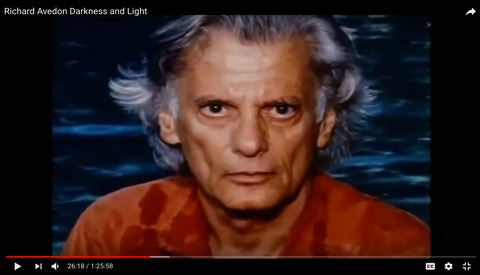
If you are a portrait photographer, beginner or professional, the documentary "Darkness and Light" about Richard Avedon should be on the top of your watch list.
When it comes to food photography, your goal is to capture the dish as well as possible while making sure it looks appealing. You want to entice the viewer to order or crave that dish. If you are new to this genre, here are a few tricks that may help you craft a better shot.
So much of photography is built on social relationships. Models, makeup artists, hair stylists, designers, and assistants all play a crucial role in contributing to the creation of an image. At the center of the photographer's work is the model, yet photographers may find it difficult to reach out to modeling agencies for collaboration. This article will describe some best practices to start and maintain relationships with modeling agencies and their models that may enable you to further develop your portfolio.
Matching the tones is the most challenging part of creating composite images. You may find numerous tutorials on the Internet about matching tones and smooth blending of the composite elements, however this technique by Antti Karppinen is the best I’ve seen so far as it even helps with blending images that are shot under different lights.
I recently teamed up with the crew at Fstoppers to create a video tutorial that focuses on the foundations of creating a standalone product hero shot for advertising. What’s a standalone product hero shot you ask? It’s a standalone image of a product that’s generally well lit, super crisp, super clean, and essentially aids in selling a company's product.
I've always been a Windows desktop user, but until this point I've never built my own desktop from scratch. I finally decided to teach myself how to build the ultimate PC for video and photo editing and I'm bringing you along for the ride.
By narrowing your focus and promoting your specific skill set, you can grow your business and stand out in even the most overly saturated market.
I can assure you that this isn't another boring tutorial on how not to overdo eyes with Photoshop. Searching for the perfect method has come to an end. Before diving into the simple method, it’s crucial to understand everything about the human eye and how it reacts to light.
In a recent article, I showed you how to create mist and atmosphere in Lightroom using a clever combination of masks, contrast, and dehaze. It worked great for woodland photos yet involved some manual masking. Today, I show you an even simpler technique for adding atmosphere in Photoshop.
Ever wonder how photographers capture what looks like a single moment in time, but you're not quite sure how they got it all in one shot? Join me for another day of adventuring in the San Juan mountains to find out.
Recent updates to Lightroom Classic have brought a new level of control over local adjustments: Range Masks. Within this, the Color Range Mask allows you to be clumsy with your adjustment brushes while targeting very specific parts of your image. Here’s a detailed look at how it works.
Few things are more terrifying than a corrupted or accidentally formatted memory card. When that recently happened to me, I hastily hopped on the Internet to find memory card recovery software. After several hours of searching, I came across an obscure but free tool, and a few hours later, all my images and videos were safely and securely transferred to my hard drive.
There's a myth perpetuated that photographers either do it for a hobby or they're professionals making money. The truth is, the majority seem to float in the gray area between the two.
Photographer Aaron Anderson has once again created an amazing set of images that came from an idea he could not shake. It's often been said that anyone can do something once but to keep coming back with impressive results is what differentiates the best from the rest.
If you're not getting the followers, traffic, or clients you think you should be, then it might be your website that is part of the problem.
Here are 10 things to stop doing in the New Year if you want to be a better, happier photographer and maybe make more money to boot.
For most photographers, social media is the area where fans and potential clients will see our work most often. Here is how to make sure your photos look great on Instagram.
Explore in this lighting tutorial three ways of stepping up your headshot photography game.
Printing your own photos is one of the most satisfying ways to enjoy the fruits of your hard work as a photographer, but doing so comes with its own set of rules and considerations to make sure your prints are just right. This great video will give you a straightforward guide to properly managing color from camera to print.
Being able to properly shoot in manual mode seems to be a rite of passage for many photographers, representing professional-level abilities. This helpful and comprehensive video will show you everything you need to know to consistently nail your exposure in manual mode.
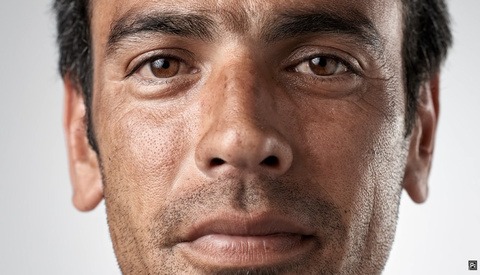
Skin retouching is a fine skill that takes a good sense of nuance and a careful eye for detail. This helpful video will show you a fairly standard and effective workflow for skin retouching using Photoshop.
How many of the primary lighting patterns can you execute well? Here is an explanation of five of the most common lighting techniques used in photography.
It doesn't matter what kind of photography you do, there will be times when an unwanted element in one of your pictures needs to be taken out in Photoshop. Here are six different techniques to use to remove practically anything from your images.
Let's just be honest here, standard HDR photo processing techniques are about as relevant as dial-up Internet these days. There are many other ways to achieve better dynamic range in the final edit of an image and one of the best ways is that of using luminosity masks.
What makes a strong composition? Let’s talk about how you can achieve striking landscape photos in which less is more. Here’s a practical set of tips for minimizing clutter.
In a saturated industry, talent can get lost in the crowds. However, talent in combination with proficient business running expertise can lead to you rising above those crowds. Some business expertise is experience, but some is received wisdom. Here are more of the most important things I've learned through both.
If you thought you couldn't use or rescue blurry, pixelated photos, think again. This tutorial will not only show you how to rescue and sharpen blurry photos, but also how to increase their size to prepare them for printing.
I doubt any photographers became professional because they were excited to run the business, but run it they will. Unfortunately, the importance of savvy business practices is much closer to photographic talent that most like to admit, so take a break from honing your portraiture, and hone your abilities as a small business owner.
Adding to or accentuating the color tones in an image is a very effective way of telling a story, eliciting an emotion, or strengthening the aesthetic. In this short walkthrough, I'll explain how I can speedily color grade my images.
One of the biggest questions photographers have when starting their business is if they’re pricing themselves correctly. Even seasoned professionals sometimes question whether their pricing is correct. Here are a few tips to ensure you’re pricing realistically and accurately for your services.
Light is the most important thing to photographers, it’s our job to recognize it and shape it to help us tell our story.
Post production has been a significant part of photography ever since the beginning of the medium. Back before digital, it was all about how you handled the development of the film and then the enlargement of your print, now it's about how you handle your digital files.
The dark and moody cinematic look is a popular one that can help make your images pop and catch the viewer's attention. If you're a fan of that style, this fun tutorial will walk you through the entire process of creating the look from normal photos using Photoshop.
A thick blanket of white covers falling tree limbs in a beautiful landscape just calling for you to shoot your outdoor session. Navigating the labyrinth of paths to get the perfect scene is obtainable with a few from fellow photographers. Last week we discussed how to prepare for shoots in the desert and now we go to the opposite side of the spectrum with a winter wonderland shoot in the snow. A few suggestions will help the safety of your clients as well as getting those killer shots.
Do you love photography and hate numbers? Are you afraid you don’t know what you don’t know when it comes to starting a business? Here are nine critical items to consider before starting your photography business.
There are simply no shortcuts to building a career as a freelance photographer. Making money out of something you love is really hard, but it absolutely can be done.
Layer masks are one of the most useful tools in Photoshop, allowing the user to apply adjustments to an image selectively. Masking, however, can be one of the most frustrating aspects of post-production, sometimes requiring lots of intricate work. One tool in Photoshop that can make your masking life easier is also one of the most overlooked: Apply Image.
I don't have a vendetta with the color blue, or any colors for that matter; that would be odd. I do, however, remove the color blue either entirely or nearly entirely from the lion's share of my images, and for good reason.