There is an ever-increasing number of features added to our cameras, designed to simplify tasks such as focusing and determining the correct exposure. I love the process of taking pictures, and this move toward a reliance on automation is of little interest to me. However, I am far more skilled at taking photos than editing them, so I welcome Adobe’s determination to simplify tasks like removing objects, adjusting color, or smoothing skin.
Today, Adobe is announcing several new features for Photoshop Desktop Beta. The most interesting to me is an improved Remove tool utilizing the latest Adobe Firefly Image Model. The current tool allows the user to brush over an unwanted object and subtract it from the image. I often use this tool when I photograph students practicing jiu jitsu to remove people standing in the background. While the tool is excellent at removing the unwanted element, it has an infuriating tendency to add a new element into the photograph. Sometimes the added element makes sense—the program might replace one unwanted person in the background with a different, AI-generated person. Other times, the replacement feels random, with something unrelated like a car or rock added to an image where it clearly doesn’t belong.
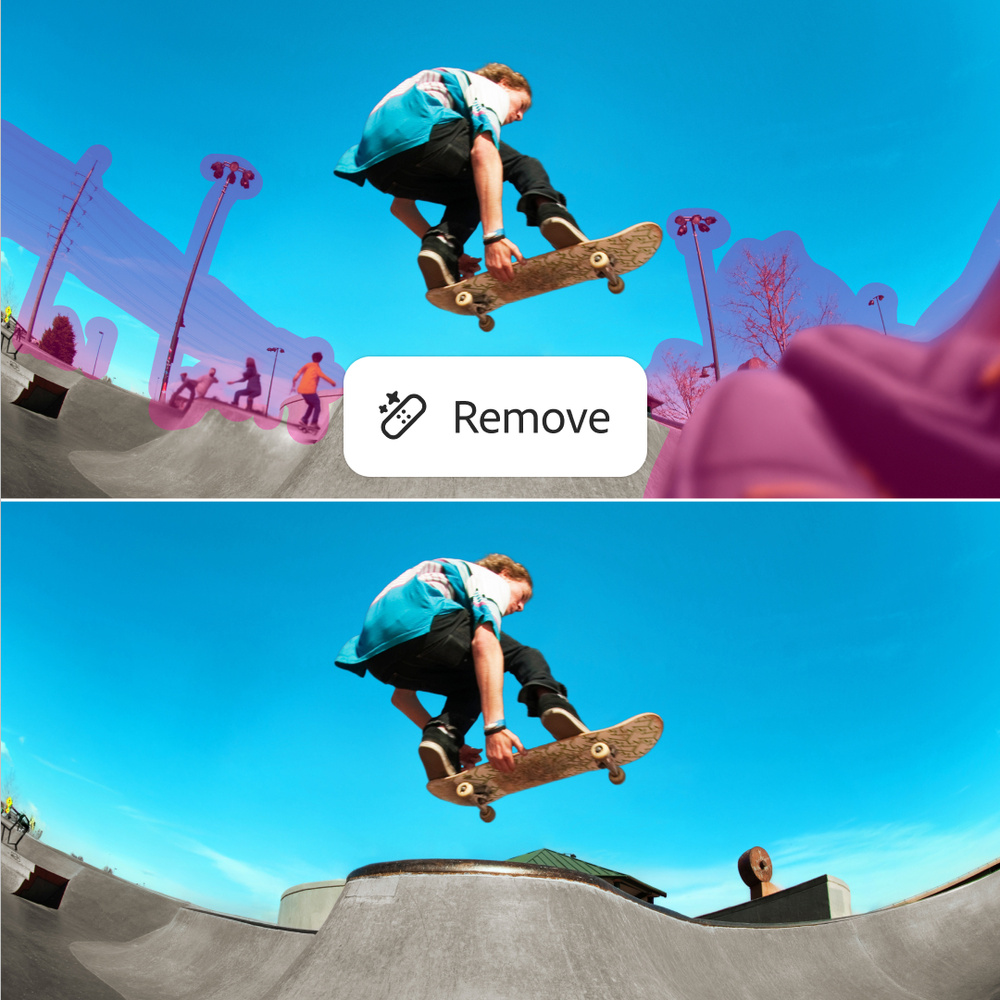
Adobe asserts that the newly modified tool removes selected elements with precision and generates realistic, natural-looking content in place of what was removed. Adobe also states that the final image will contain fewer artifacts and will be cleaner and more ready for professional use. The new tool is less likely to add an unwanted element to an image. I attended a press conference where the Adobe rep acknowledged the limitations of the previous version of the Remove tool. Adobe’s acknowledgment of the limitations of previous versions of the tool is good. Without an honest assessment of their product, there is no motivation for a company to improve. It is worth noting that the Remove tool does not incur fees in the form of credits. Users can explore unlimited selections and removal applications with no fees beyond the monthly subscription price.
Another addition announced today is Projects, which allows for the smooth management and organization of creative projects. Assets can be assembled in a shared online space, and creators who have been added to the project do not have to know where original files are located. Creators do not need to send the latest versions to decision-makers since anyone on the team can instantly access the newest versions in the shared workspace. The goal with this addition, and the others announced today, is to allow the creator to stay focused on being creative without putting too much time into organizing assets or completing other tedious tasks.
Beginning today, Photoshop users will have control over which generative AI model will be used in their edits. The user chooses between Firefly Image 1 and Firefly Image 3. According to Adobe, “Each Firefly model has unique strengths and styles, and this gives artists...flexibility to experiment and tailor outputs to their unique style and creative vision.”
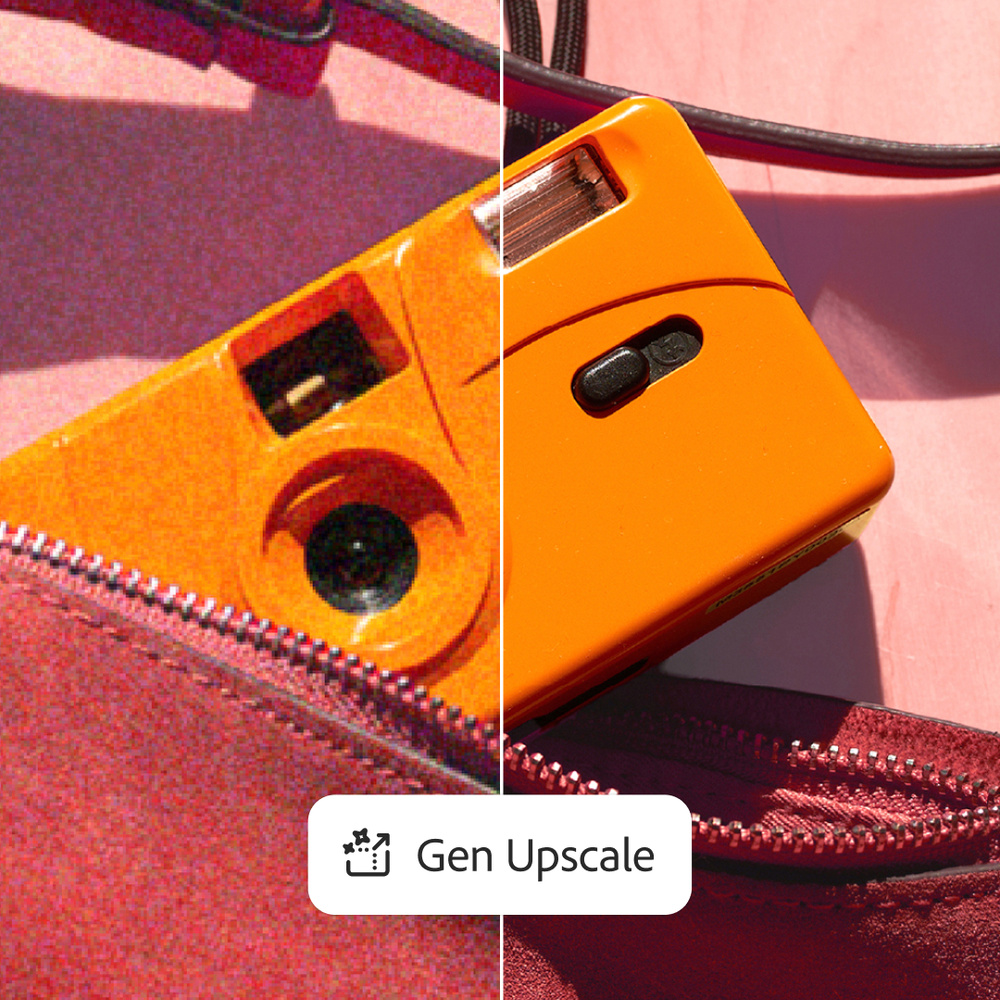
Generative Upscale is being introduced today. This appears to be similar to Super Resolution in Photoshop's Camera Raw and Lightroom, which was primarily designed to upscale raw images before any other edits are applied. Generative Upscale can upscale images and elements being added to images up to 8 megapixels without sacrificing quality. This feature is useful in situations where product shots or assets of varying resolutions need to be combined into a single photo or graphic design.
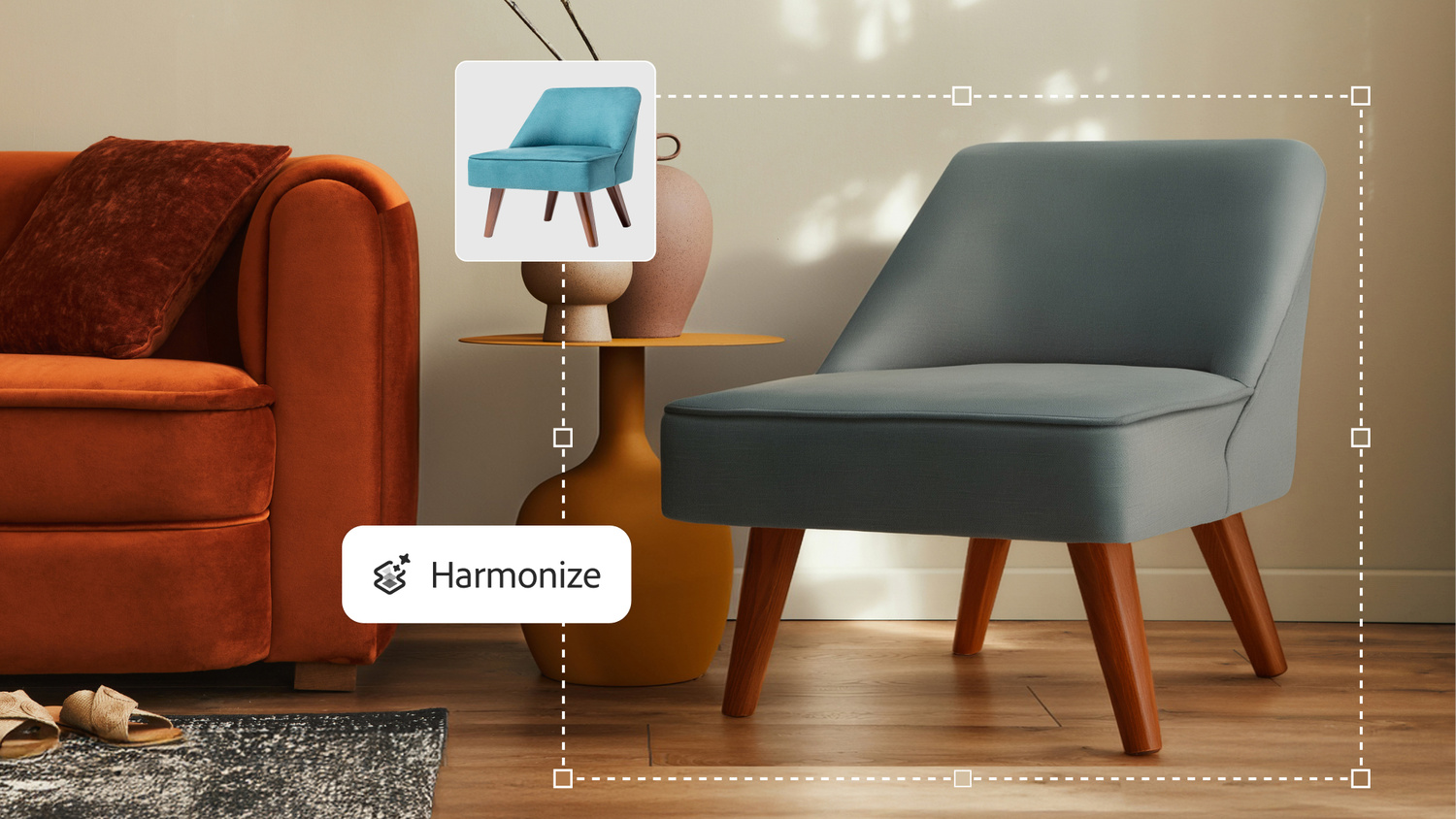
Another addition designed to help combine elements from different sources into a single finished piece is the Harmonize feature, which uses Adobe’s Firefly Image Model to blend added elements into a natural-looking final image. In an example provided by Adobe, a stock photo of a chair with flat, even lighting was added to a room with a distinct tone because of the lighting and color toning of the image. When the chair was added to the scene, the Harmonize feature automatically adjusted the color, shadow, and exposure of the chair so that it blended seamlessly with the original elements.
The beta version of Photoshop Desktop can be downloaded from Adobe’s Creative Cloud site.