
Raw is practically a religion. It preserves sensor data, maximizes editing latitude, and lets you recover mistakes that would wreck a JPEG. That’s all true... and still incomplete. “Shoot raw or you’re not serious” turns a tool into a dogma. Tools aren’t moral; they’re contextual. The job dictates the format, not the other way around.
Modern cameras changed the ground rules. JPEG engines aren’t the crunchy dinosaurs we remember from the 2000s. Picture profiles are nuanced, highlight protection is smarter, and in-camera noise reduction isn’t a smear-fest anymore. On the workflow side, clients want speed, consistency, and files that slot straight into their channels. The best format is the one that gets them there at professional quality with minimal friction.
None of this downgrades raw. It just widens your playbook. Here are five scenarios where shooting JPEG is the smarter move, not because you“can’t shoot raw, but because you’re choosing the right tool for the constraints, deliverables, and deadlines in front of you.
1. When You Need Immediate Turnaround
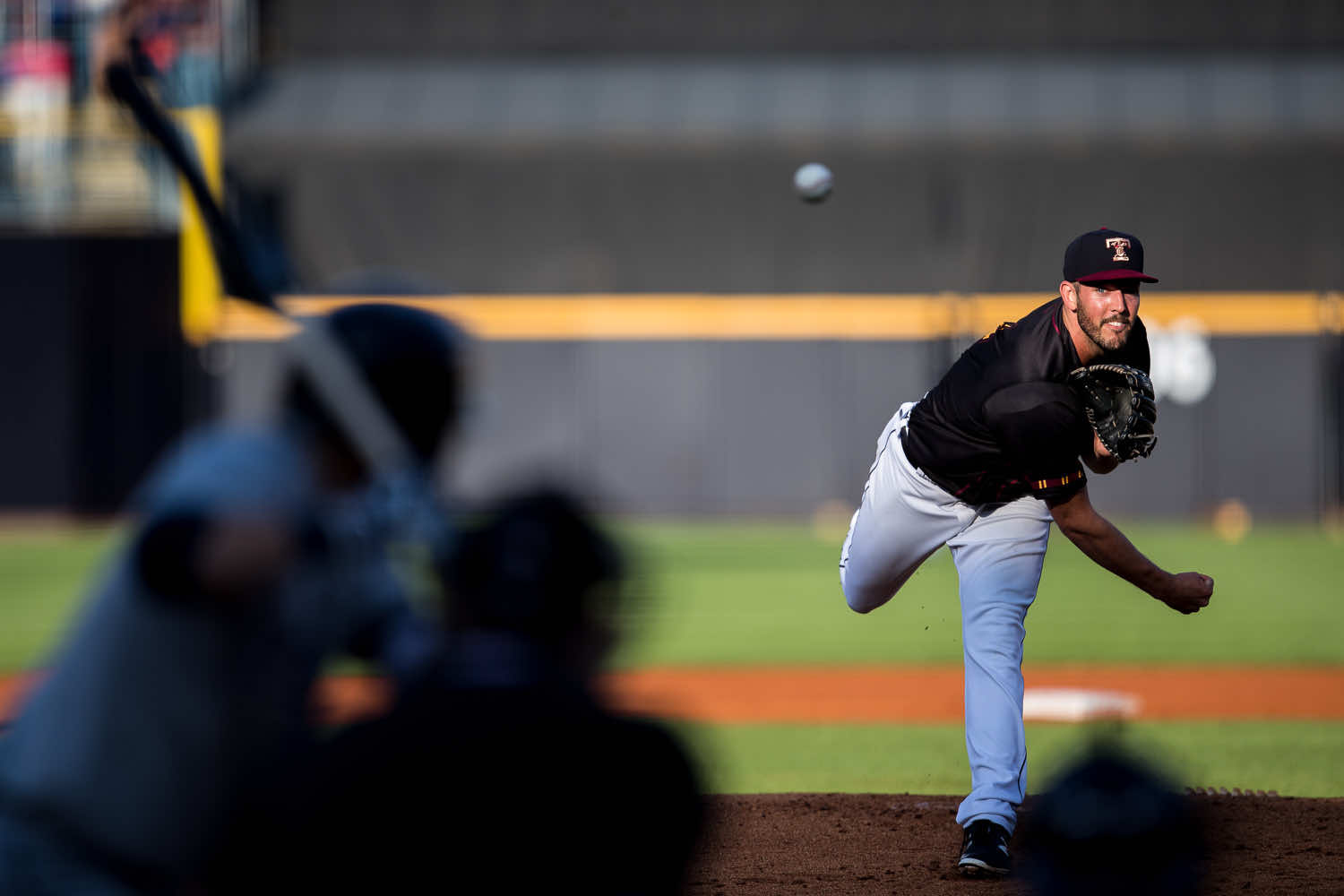
There are shoots where the clock is the client. Sports, news, corporate launches, political events—if you’re not publishing while attention is peaking, you’re late. “I can perfect the raws tonight” is not a professional answer when the editor needs frames now and the social team is already drafting copy.
Speed work punishes friction. Importing, culling, converting, and exporting hundreds of raws while an event is still unfolding is a great way to watch your images become yesterday’s news. On jobs like these, the most valuable deliverable is timely relevance. A correctly exposed, color-accurate JPEG that moves in minutes beats a technically purer raw that ships after the moment passes.
Why This Happens
Publishing stacks are optimized around JPEG. CMS systems, newsroom ingest tools, and real-time social flows accept it natively. Raw introduces mandatory conversion steps and heavy file sizes that don’t play well with cellular uplinks or venue Wi-Fi. The pipeline wants fast, compressed, and already toned.
What Pros Actually Do
They build a push-button path: in-camera FTP to an editor, smartphone tether to a publishing app, or laptop auto-ingest that watches a folder and posts selects. Picture style is pre-dialed, highlight-weighted metering is on, zebras are tuned to protect skin, and auto white balance with a bias is set to avoid wild swings between scenes. They shoot JPEG or raw+JPEG, but only the JPEGs flow through the live pipe.
Hidden Costs of Sticking to Raw
You either miss the window, shove unprocessed raws onto a panicked editor, or compromise quality rushing a conversion—three different paths to looking unreliable. Editors remember who made their life easier under pressure. Clients rehire the photographer whose files “just worked.”
How To Set Up JPEG For This
- Pre-bake a profile: Keep contrast modest, protect highlights, lift shadows only a touch to avoid mush.
- Lock exposure discipline: Use zebras and a reliable metering mode; err on the side of highlight safety.
- Caption/rename on ingest: Build templates so transmitted files carry usable metadata.
- Automate the route: Camera to phone to cloud/FTP with as few taps as possible.
Why JPEG Wins Here
Speed is quality when the story is live. JPEG is the only format that travels at the speed your client actually needs.
2. When You’re Volume Shooting
Volume is a different beast. School portraits, youth sports, corporate headshots, catalog runs can run hundreds or thousands of nearly identical frames where consistency and throughput matter more than extreme edit latitude. The constraint isn’t dynamic range; it’s the number of minutes in a workday.
Raw eats those minutes. Every extra gigabyte means slower imports, heavier previews, longer exports, and more backup overhead. If your lighting is controlled and your ratios are stable, raw’s headroom becomes insurance you don’t need and a cost you definitely feel.
Clients in this lane judge you on predictability. Delivery in days, not weeks. Identical color from frame 1 to frame 900. Proofs that are easy to sort and buy from. Shooting raw adds drag without adding value the client can perceive or bill for.
Why This Happens
Volume margins are tight. You’re paid to be efficient and consistent, not to hand-process individual files. Raw multiplies the touches per photo, while JPEG flows straight into proofing systems and ordering platforms.
What Pros Actually Do
They remove variables. Manual exposure. Manual white balance set with a gray card. Fixed lighting with metered ratios. A tether check at the start, then the camera stays put. JPEGs drop into folders already named for subjects or stations, where batch renaming, barcode matching, or face grouping finishes the sort. The whole assembly line is designed around JPEG throughput.
Hidden Costs of Shooting Raw At Scale
Delays become the default, clients start chasing, and your profit evaporates in post time. Worse, slow delivery erodes trust, and trust is the only reason large organizations rebook you next year.
How To Set Up JPEG For This
- WB discipline: Custom Kelvin or preset and fine-tune; never “auto” in mixed gym lighting.
- Picture style for skin: Gentle contrast, modest sharpening to avoid halos, restraint on saturation.
- In-camera crops/ratios: Save time in post by matching final aspect as you shoot.
- File hygiene: Card per station or per class/team; mirrored backups at lunch and wrap.
Why JPEG Wins Here
It matches the job: small, consistent, fast. In volume, efficiency is the professional standard.
3. When Storage or Bandwidth Is Limited
Remote work exposes the tyranny of file size. Long assignments, travel features, expeditions, disaster coverage, or anywhere you can’t wheel a RAID case forces you to pick between data weight and shooting freedom. Raw tips that balance the wrong way.
Run the math: 45-megapixel raws at about 50 MB each, a modest 400 frames per day, and you’re burning 20 GB daily. Add redundancy (because you’re not reckless,) and two weeks later you’ve hauled, mirrored, and verified close to a terabyte before you even try to upload the selects over weak hotel Wi-Fi or a cellular hotspot.
Why This Happens
Storage, power, and uplink are finite in the field. Raw pushes those limits fast; JPEG stretches them. Smaller files mean more frames per card, faster secondary backups, and the ability to transmit from bad networks without timing out or compressing on the fly like a maniac.
What Pros Actually Do
They go hybrid with intent: raw for hero frames and critical moments, JPEG for coverage, B-roll, and context. Some agencies even mandate JPEG-only transmission for breaking situations to guarantee delivery. Smart shooters also carry dual small SSDs for mirrored backups and use on-the-fly culling to avoid hoarding near-duplicates.
Hidden Costs of Overcommitting To Raw
You spend your evenings as an unpaid data wrangler. You risk running out of space during the moment that matters. You postpone delivery because the pipe can’t carry your files. None of that reads as “professional” to the client waiting on images.
How To Set Up JPEG For This
- Card strategy: Many small cards > one giant card; rotate and label.
- Daily triage: Cull in the field; protect hero raws, dump true duplicates.
- Consistent JPEG look: Profile that’s neutral with highlight protection; avoid aggressive NR that smears fine texture.
- Transmit smart: Down-res only when necessary; pre-export social sizes on rest days to reduce nightly work.
Why JPEG Wins Here
It lets you keep shooting, keep backing up, and keep delivering under real-world limits. Practicality is not a downgrade; it’s risk management.
4. When You’ve Perfectly Dialed In Camera Settings
Raw is a parachute. Parachutes are great until you realize you’re carrying one on a flight that never leaves the ground. In controlled environments, parachutes add weight and slow you down. If you know your light, own your ratios, and trust your workflow, JPEG can be the final image, not a rough draft.
Studio portraits, product runs, and catalog flats are repeatable systems. You meter. You set your white balance. You confirm tethered. You shoot to match a brand look you’ve already signed off with the client. In that context, raw latitude isn’t adding creative value; it’s duplicating what your camera already did well.
There’s a craft bonus too: JPEG forces rigor. When you know the file leaving the camera is what the client will see, your capture habits sharpen. Exposure discipline improves, color checks become second nature, and set changes stay intentional. You get faster not by fixing more later, but by needing to fix less at all.
Why This Happens
Predictability removes the need for safety nets. With repeatable light and calibrated color, a well-tuned JPEG profile already expresses your intent. The supposed “loss” is mostly theoretical because you don’t need to push or pull much in post.
What Pros Actually Do
They build bespoke picture styles per client. Contrast curves that protect highlights, soft-shoulder tone response for skin, sharpening tuned so edges stay crisp without halos. Fujifilm shooters lean on film simulations; Canon/Nikon shooters tame defaults so files grade like a gentle base LUT.
Hidden Costs Of Defaulting To Raw
It can make you sloppy on set. “I’ll fix that later” becomes a habit. It also slows approvals and drains calendar space you could fill with billable shoots. Clients notice snappy review cycles and consistent color across sessions.
How To Set Up JPEG For This
- Lock it in: Meter, test, confirm on a calibrated display. Save the camera preset.
- Skin-safe sharpening: Keep it modest; let micro-contrast live, avoid crispy pores.
- Tone curve sanity: Medium contrast, slight highlight roll-off; don’t cook your blacks flat.
- Proof plan: Shoot one raw every lighting change as a parachute; otherwise, live in JPEG.
Why JPEG Wins Here
It rewards preparation. In controlled scenes, JPEG is not corner-cutting—it’s craftsmanship expressed efficiently.
5. When the Client Doesn’t Need More
Deliverables should match use. A local business website, a newsletter header, a social campaign, or an internal deck—none of these benefits from 50 MB raws or 16-bit TIFFs. They benefit from clean, sharp images that load quickly, look consistent across devices, and arrive without tech support calls.
Over-delivering format is a subtle client-experience failure. Huge files bog down email and create unnecessary back-and-forth. The perception is “difficult,” not “high quality.” When the output is digital-first, JPEG is the native currency.
Why This Happens
Platforms compress aggressively. The nuances raw protects get flattened by web encoders and mobile pipelines. Clients judge you on speed, clarity, and how little hand-holding your files require, not on whether the histogram could have supported a two-stop push.
What Pros Actually Do
They set expectations in the estimate: “Final deliverables: web-ready JPEGs at 3,000 px long edge,” with optional print-ready upsells. Many shoot raw+JPEG so they can deliver fast and keep archival flexibility without dragging the process.
Hidden Costs Of Overdelivering Raw
You waste hours processing assets that will be downsampled, you confuse non-technical teams, and you create friction your competitors don’t. None of that helps you get rehired.
How To Set Up JPEG For This
- Export targets: Build preset sizes for the client’s CMS and social channels (long edge in pixels, JPEG quality tuned to stay sharp without bloat).
- Consistent look: A mild, brand-aware profile that holds skin and product color.
- Naming and structure: Folders by channel, sensible filenames. Reduce “Where is file X?” email churn.
- Archive sanity: Keep raws locally for six months if scope allows; offer print-ready upsell if they later need it.
Why JPEG Wins Here
It aligns with the outcome. Clean, quick, and painless is what they’re actually buying.
Practical JPEG Playbook (Keep This Handy)
- Shoot raw+JPEG when in doubt: Route JPEG through your fast pipeline; keep raw in your pocket for edge cases.
- Tame in-camera sharpening and noise reduction: Let detail breathe; avoid waxy textures.
- Protect highlights: Slight underexposure with a gentle curve beats blown skin any day.
- Bias AWB or set Kelvin: Don’t let the camera chase color in mixed light; stability outruns theoretical latitude.
- Automate delivery: Presets for export sizes and names, scripted folders by channel, metadata templates ready to fill.
Conclusion: Professionalism Is Context, Not Dogma
Raw is powerful. It’s also heavy on time, on storage, on process. JPEG is efficient. It’s also unfairly maligned. The mark of a pro isn’t blind loyalty to a format; it’s the judgment to pick the right one.
When the clock is ruthless, JPEG wins. When scale is the constraint, JPEG wins. When storage and bandwidth are scarce, JPEG wins. When your setup is nailed, JPEG wins. When the deliverable is digital-first, JPEG often wins. Raw still owns plenty of territory: complex grades, tricky light, print campaigns, archival masters. But the smarter business is knowing which hill you’re on before you start climbing.
Use the tool that serves the brief, the timeline, and the client. That’s not heresy. That’s professionalism.


“‘Shoot raw or you’re not serious’ turns a tool into a dogma.”
This looks a lot like a straw dog - an argument you set up just to knock it down. I’ve never seen or heard anyone actually make this argument.
Also, this is presenting a false dichotomy. The options are not limited to either/or - it’s generally possible to shoot both simultaneously. Most pros do this so they can deliver JPEGs onsite and also have raw files from which to refine the images for later delivery of final versions.
I've heard people make that argument all the time. And I also advocated for shooting both in the article.
"Fro Knows Photos" !
It's actually "Fro Knows Photo" because so many people mindlessly repeat things but only if they rhyme.
Are you capable of articulating exactly what portion of my post you’re downvoting and why?
Well written. I'm shooting raw on one card and jpg on the other card. The problem with camera to phone to ftp (or directly to ftp) is the tagging of the metadata for me. I use PhotoMechanic with pre setups on my laptop. Does anybody know a way to do it on phone?
Seems to me that the needs/likes of the consumer of those photos will dictate. We see millions of photos in news or news-like publications every day, and don't think anyone cares on whether the files were RAW or JPEGs. There's plenty of awful and amazing photos from both standards out there. But things like wedding photography where we all want to see a better version of ourselves, will benefit from a RAW capture. A Tour de France cyclist flying through a field of sunflowers on a sunny day, couldn't matter to an audience that wants to see those JPEG photos immediately after a race. This article articulates this duality very well and allows for one standard or the other depending of the circumstances and the needs/wants of the end-product consumer. Well done.
Speed and more Speed!!! Glad I am a hobbyist and relaxed with fun. How many of the pros doing all this really know the settings for Jpegs out of all the camera settings and which one's are not able to duplicate results in processing a raw.
In my Gary L. Friedman book (600+ pages) (on page 378) a true story about a National Geographic Photographer who uses Sony cameras DRO set to auto and captures in RAW +Jpeg. Sending both to National Geographic for post processing and tells the staff to make the RAW's look like the Jpeg's, Staff say they can't. Reason is there is a DRO function set to Auto on the camera and it does in seconds what can take a long time to do to a RAW file. The DRO function manages the shadows brightness in the Jpegs. Yes there is a way somewhat to get the D-Range Optimizer effect by using the Sony IEDT program BUT Not Exactly for there are 5 levels of shadow control on it but in auto the shadows are adjusted in many many levels in less than seconds.
Many forget the image on the back on the LCD screen is a "Jpeg" and all makes and model cameras have settings just for Jpegs. Like one is a selected profile most are set to standard. One thing I never see with YouTube editors editing in Lrc and other programs is in the basic panel above in four blocks you can select a profile, looking at each you can then pick a profile to use say at night for Milky Way's that will bring out the correct colors you want, Portrait is my selection and I set the camera to it before heading out. But I also have, for each camera, stood behind the camera and went through each profile to see the results on the camera it's self.
Also how many leave the camera in AWB when you also can do a check with a gray card first and set the camera to that reading.
Bottom line is read a book on your camera for all the little things that affect the rear display to know if you are getting what you see.
There is one hidden function on Sony cameras starting on Mod 2's that no one ever mentions, maybe night capturer's, it is the "Bright Monitoring" it is like color night vision in the camera it also will help you see what the eye can't in the dark and give an idea how bright the image will be before capture. I hate images that are edited to what the eye sees vs what the camera captures some really dark.
JPEG in modern cameras handle exceptionally well (even using an old 1DX mk1). So unless you require technical photography or maximum dynamic range, JPEG provides more than adequate quality for most pros. Most people (PROs included) are unable to tell when looking at a final image with the naked eye if the image was shot on RAW or JPEG.
I tried shooting jpg only to realise I simply cannot dial in any profile settings that gives me satisfactory results straight from jpg. I don't do tonnes of editing and for me it just makes sense to shoot in RAW and adjust in post to get the desired look I'm after. I'm not saying I don't know how to set up jpg profiles or that shooting to jpg isn't a good option as it will be for lots of people, it's just for me it is so much quicker to just do a simple edit from RAW. Even if I shoot to jpg, I'd still need to make a few adjustments so I may as well just use RAW.
The title is about shooting JPEG, but #5 “When the client doesn’t need more” is about delivering, not shooting, JPEG. Event shooters generally shoot RAW and deliver JPEGs, because clients “benefit from clean, sharp images” made in low light, shot as RAW, processed with advanced noise reduction, and delivered as custom-sharpened JPEGs.